Loading...

MLA format for a paper sets out a clear, consistent system that most English and humanities instructors expect by default. Get it right, and your paper looks professional before a reader reads a single sentence. The core rules from the MLA Style Center are:
These eight rules cover the vast majority of what instructors check. Everything below goes deeper on each one.
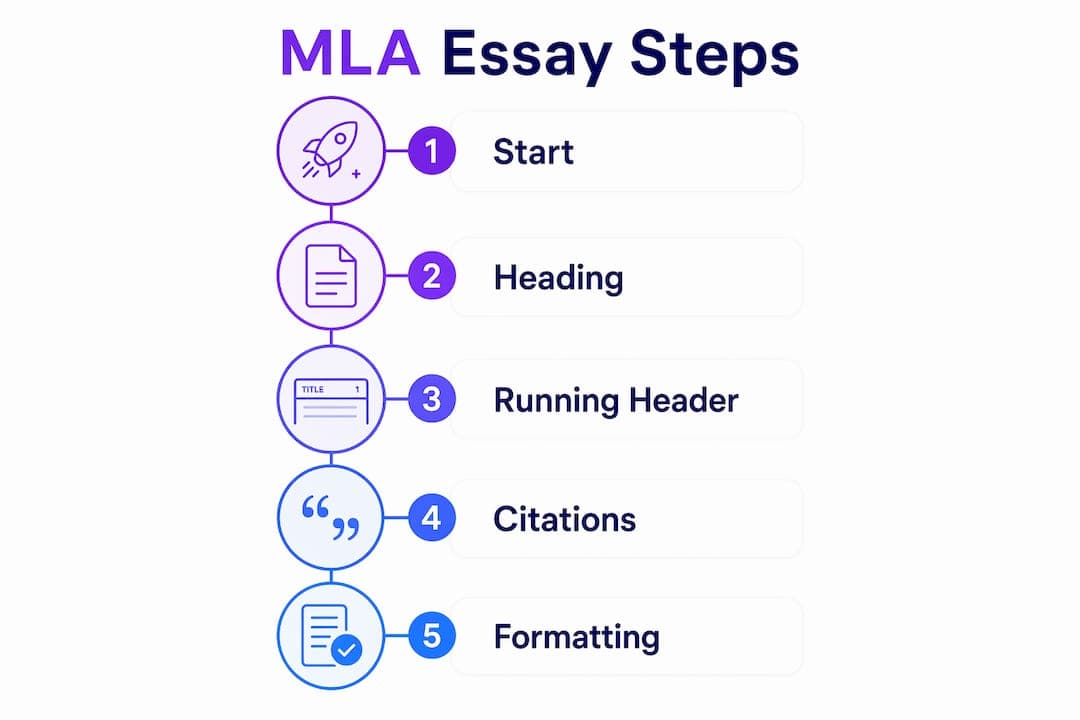
The first page carries more formatting weight than any other. Two distinct elements live here: the four-line heading and the running header, and students routinely confuse them.
The MLA Style Center specifies that the title goes on the very next line after the date, centered, with no special styling. Your first paragraph begins one line below the title, indented half an inch. No extra blank lines, no decorative spacing.
Pro Tip: If your instructor asks you to omit the header from the first page, use your word processor's "Different First Page" option under header settings. This removes the running header from page one without affecting the rest of the document.
Every page, including the first, gets a header flush right, placed half an inch from the top of the page. The format is your last name, a space, and the page number. Nothing else.

So "Smith 3" is correct. "p. 3," "Smith, 3," and "Smith-3" are all wrong. Set this up in your word processor's header tool so it repeats automatically. Typing it manually on each page is a recipe for errors.
For a detailed walkthrough of MLA first page layout, Samwell's step-by-step guide covers every margin and spacing setting.
Short answer: rarely. Purdue OWL notes that headings are discouraged for shorter papers and should be used sparingly even in longer research papers, where they help readers navigate complex arguments.
When headings are appropriate, follow these rules:
A five-page literary analysis almost never needs headings. A fifteen-page research paper on climate policy probably does. The test is whether a reader would genuinely get lost without them. If the answer is no, leave them out.
The Works Cited page is where MLA gets technical fast. Here are the non-negotiable structural rules:
MLA 9th edition uses a "core elements" framework. Every source is described using the same sequence of elements, separated by periods and commas:
| Source type | Example entry |
|---|---|
| Book | Smith, Jane. The Writing Life. Oxford UP, 2021. |
| Journal article | Lee, David. "Style and Clarity." Journal of Writing, vol. 12, no. 3, 2020, pp. 45–60. |
| Website | Brown, Alex. "MLA Basics." Academic Help, 10 Jan. 2023, www.example.com/mla. |
| Edited book chapter | Patel, Riya. "Voice in Essays." The Essay Reader, edited by Tom Hall, Norton, 2019, pp. 88–102. |
Every time you quote or paraphrase a source, you place a parenthetical citation at the end of the sentence, before the period. The citation contains the author's last name and the page number, with no comma between them.
For a deeper look at MLA citation rules, Samwell's citation guide covers every source type with worked examples.
A block quote applies when a prose quotation runs more than four lines in your paper. Indent the entire quotation half an inch from the left margin, with no quotation marks. The parenthetical citation goes after the final period, not before it. That placement is the opposite of regular in-text citations, and it trips up a lot of writers.
Visual elements follow a labeling system that keeps your paper organized and gives credit to sources.
For tables:
For figures (photographs, charts, graphs, illustrations):
Pro Tip: For musical examples, use the label "Ex." (short for Example) followed by a number, e.g., "Ex. 3." The caption and source note follow the same format as figures.
A few things to avoid: do not float tables or figures to the end of the paper unless your instructor requires it, and do not let a large image push your text off the page. Resize the visual so your margins stay intact.
Most MLA errors fall into a handful of predictable patterns. Knowing them in advance saves you from losing points on mechanics when your argument is solid.
The separate title page myth. Many students assume MLA requires a cover page. It does not. Standard MLA uses the four-line heading on the first page for identification. A separate title page is only appropriate when an instructor explicitly asks for one.
Right-justified text and auto-hyphenation. MLA specifies left-aligned text with a ragged right margin. Turning on full justification in Word or Google Docs creates uneven spacing between words, and automatic hyphenation breaks words across lines in ways that hurt readability. Both settings should be off.

Punctuation in the running header. No periods, commas, or "p." before the page number. "Smith 4" is the complete, correct format.
That last point matters more than most formatting guides admit. If your instructor says to use a title page, use one. If they want 1.5-inch margins, use those. MLA is the default; your instructor's syllabus is the override.
Pro Tip: Before submitting, run through Samwell's MLA formatting checklist to catch margin, spacing, and citation errors in one pass. It takes five minutes and catches the mistakes that cost the most points.
Overusing headings. A paper with a heading every two paragraphs reads like a PowerPoint deck, not an essay. Reserve headings for papers long enough that a reader genuinely needs navigation help.
Proofreading for format, not just content. Read your paper once specifically for formatting: check every in-text citation has a matching Works Cited entry, verify hanging indents are applied, and confirm the running header appears on every page. Content proofreading and format proofreading are two separate passes.
Correct MLA formatting requires consistent margins, double-spacing, a four-line first-page heading, a last-name-and-page-number running header, and a properly structured Works Cited page with hanging indents.
| Point | Details |
|---|---|
| Core formatting rules | Use 1-inch margins, 12-point font, and double-spacing throughout the entire paper. |
| First-page heading | Four lines flush left (name, instructor, course, date), then a centered title with no special styling. |
| Running header | Last name and page number flush right, half an inch from the top, on every page. |
| Works Cited page | Starts on a new page, entries alphabetized and double-spaced with a half-inch hanging indent. |
| Instructor directions | Always follow your instructor's specific requirements; they override standard MLA defaults. |