Loading...

TL;DR:
- Samwell.ai offers a comprehensive research-to-paper workflow with citation support and real-time AI detection. It is ideal for students needing organized sources, structured drafting, and verification in one platform. Pairing it with specialized tools enhances writing accuracy and citation integrity throughout the research process.
If you need one answer fast: Samwell.ai is the strongest all-in-one pick for students who need to go from research to submission-ready paper without juggling five tabs. For structure-first workflows, Paperguide or SciSpace handles literature synthesis better than Jenni.ai does. For detection and submission safety, Paperpal's sentence-level AI checker is the one to know.
TL;DR — top picks at a glance:
Most students hit one of three bottlenecks: they can't organize their sources, they can't get a draft started, or they're nervous about detection. Match the tool to the problem. If you're not sure which bottleneck is yours, start with Samwell.ai and work backward from a finished draft.
| Tool | Best for | AI writing + research | Citation support | PDF / chat-PDF | AI & plagiarism detection | Integrations | Free tier / student pricing |
|---|---|---|---|---|---|---|---|
| Samwell.ai | Full research-to-paper workflow | Both | APA, MLA, Chicago | Yes | Real-time AI detection | Google Docs, Word | Free tier; student plans |
| Paperpal | Submission safety / detection | Writing + polish | APA, MLA | Limited | Sentence-level AI detector | MS Word, web | Free tier available |
| SciSpace | Literature discovery + PDF reading | Research-heavy | APA, MLA, BibTeX | Strong (chat-with-PDF) | Basic | Zotero, Mendeley | Free tier; paid plans |
| Paperguide | Integrated discovery + drafting | Both | APA, MLA, BibTeX | Yes | Basic | Web-based | Free tier available |
| Scite | Citation analysis / claim verification | Research only | Citation maps | PDF import | N/A | Zotero | Paid; student discount |
| Logically | Evidence-based argument building | Writing + structure | APA, MLA | Yes | Basic | Web-based | Free tier available |
| Mapify | Pre-writing structure / mind maps | Research + outline | Limited | PDF to mind map | N/A | Web, mobile | Free tier; paid plans |
| Storyflow | Long-form drafting + workspace | Drafting-first | APA, MLA | Limited | Basic | Web-based | Free tier available |
Three clusters emerge from this table. Workspace-first tools (Samwell.ai, Paperguide, SciSpace) cover the full pipeline. Draft-first tools (Paperpal, Storyflow) assume your sources are already organized. Analysis-first tools (Scite, Mapify) solve the pre-writing problem but hand off to something else for the actual draft.
Samwell.ai is a research paper generator built specifically for academic integrity. It generates structured papers with real citations in APA or MLA, runs real-time AI detection using Semihuman.ai technology, and includes a Power Editor for targeted section-level rewrites. It is widely used by many students and academic professionals, which gives it a strong trust signal compared to most tools on this list. The research paper generator handles the full arc from topic to formatted bibliography.

Pros: Full research-to-submission pipeline in one tool; real-time AI detection built in; APA, MLA, and Chicago support with exportable citations. Cons: Less specialized for deep literature discovery than SciSpace; not a citation-analysis tool like Scite.
Paperpal is the go-to for students whose primary concern is whether their draft will survive a Turnitin-style check. It pairs AI autocomplete with a sentence-level AI detection feature that flags lines likely to be caught before submission. The writing assistance is solid for polishing and paraphrasing, though it's less capable at generating a full structured draft from scratch.
Pros: Sentence-level AI detection is genuinely useful pre-submission; MS Word integration works well; good for non-native English writers. Cons: Drafting from scratch is limited; PDF handling is basic; weaker on literature discovery.
SciSpace excels at the reading and extraction stage. Its chat-with-PDF feature lets you ask questions directly to a paper, and it supports BibTeX export alongside Zotero and Mendeley integration. If your workflow starts with a stack of PDFs you need to synthesize, SciSpace handles that better than Jenni.ai ever did. The drafting side is functional but not its strength.

Pros: Strong PDF chat and extraction; BibTeX/Zotero/Mendeley export; good for systematic literature reviews. Cons: Drafting is secondary; AI detection is basic; pricing for full features can add up.
Paperguide positions itself as a combined research-and-writing product, which makes it a natural Jenni.ai competitor. Discovery and drafting live in the same interface, and citation support covers APA, MLA, and BibTeX export. It's a solid middle-ground option for researchers who want more than a drafting tool but don't need the depth of a dedicated literature workspace.
Pros: Discovery and drafting in one product; BibTeX export; clean interface. Cons: AI detection is basic; less established than SciSpace for systematic reviews; smaller user community.
Scite does something none of the other tools here do: it tells you whether the papers citing a study are supporting or contradicting it. That's citation analysis, not drafting assistance, and it's genuinely valuable when you're building an argument that depends on contested evidence. Use it alongside a drafting tool, not instead of one.
Pros: Unique support/contradict citation mapping; strong for systematic reviews and meta-analyses; Zotero integration. Cons: Not a drafting tool; paid plans required for full access; no AI detection.
Logically focuses on evidence-based argument structuring. It's a better fit for researchers who need to build a defensible claim from multiple sources than for students who need a quick draft. The free tier is accessible, and the web-based interface is clean.
Pros: Argument structuring is genuinely useful for thesis chapters; evidence mapping is clear; free tier available. Cons: Not a full drafting tool; citation export options are limited; less known than SciSpace or Paperpal.
Mapify generates mind maps from PDFs, slides, and lecture recordings, which makes it useful for comprehension and organization before you start writing. It fills a gap that Jenni.ai never addressed: the pre-writing stage where you're still figuring out what your argument actually is. It's not a drafting tool, so you'll need to pair it with something else.
Pros: PDF-to-mind-map is genuinely useful for visual thinkers; mobile app available; good for lecture notes. Cons: Not a drafting or citation tool; limited bibliography support; needs to be stacked with a drafting tool.
Storyflow is a workspace-first drafting tool that combines outlining and writing on one canvas. Reviewer roundups consistently recommend pairing it with a detection tool like Paperpal for submission-ready outputs. It handles long-form academic writing better than most drafting-first tools, but it doesn't replace a dedicated reference manager.
Pros: Workspace canvas keeps outline and draft connected; good for long-form papers; free tier available. Cons: Citation management is basic; no built-in AI detection; PDF handling is limited.
Pro Tip: Run a three-stage micro-trial before committing to any tool: import a representative PDF and test extraction quality, build an outline from your extracted notes, then draft one section and run detection checks. That sequence exposes gaps in extraction, citation export, and detection accuracy faster than any feature list will.
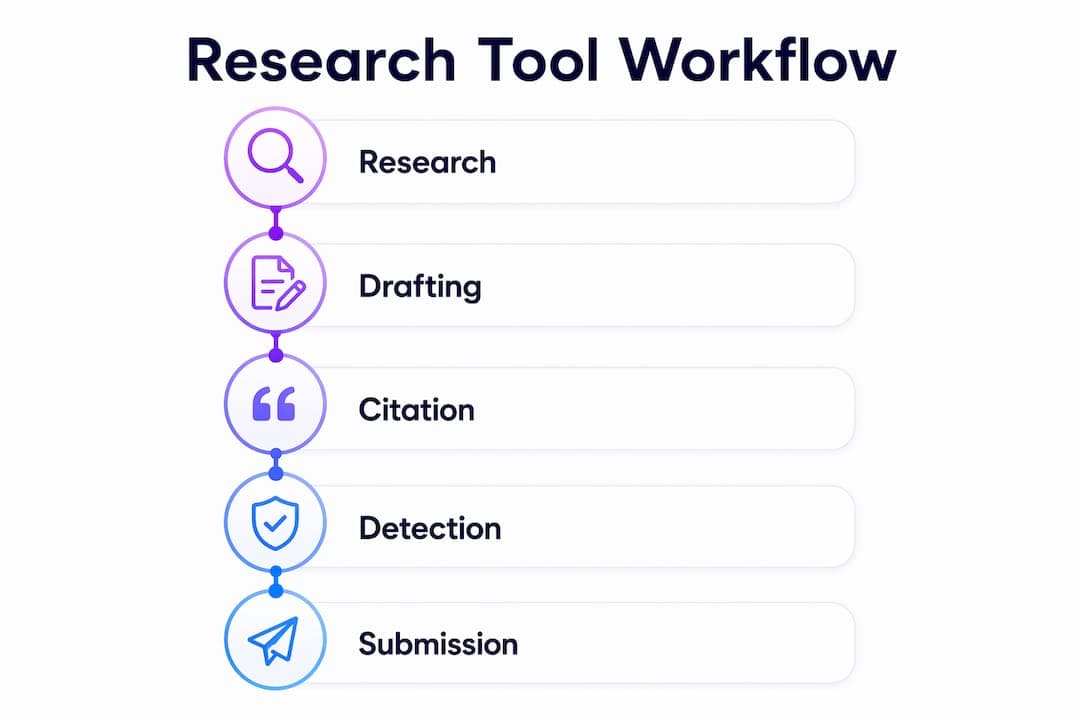
Not every tool covers every stage. Here's how the shortlist maps to the five stages most students move through.
| Stage | Best tool(s) | What it does at this stage |
|---|---|---|
| Discovery & reading | SciSpace, Scite | PDF chat, citation analysis, claim verification |
| Literature synthesis | Paperguide, Logically | Source organization, argument mapping |
| Outlining / structure | Mapify, Storyflow | Mind maps, canvas-based outlining |
| Drafting | Samwell.ai, Paperpal, Storyflow | Full draft generation, autocomplete, section writing |
| Citation & bibliography | Samwell.ai, SciSpace, Paperguide | APA/MLA/BibTeX export, Zotero/Mendeley sync |
| Polishing & detection | Paperpal, Samwell.ai | Sentence-level AI detection, plagiarism checks |
The most reliable approach for students aiming for submission-ready work is a two-tool stack: one tool for structure and sources, one for drafting and detection. Three common stacking patterns:
The key insight from practitioner reports is that stacking reduces hallucinations and preserves citation integrity compared with single-tool workflows. A powerful drafter is worthless if your sources are unorganized going in.
Start with your bottleneck, not the feature list.
Decision checklist:
Trial questions to ask during a free plan test:
Red flags to watch for:
Trust signals worth looking for:
Pro Tip: Run two complementary tools in parallel for two weeks: one workspace/structure tool and one drafting/detection tool. Use the same paper topic for both. By the end of week two, you'll know exactly which stage each tool handles well and where the gaps are. That's more useful than any feature comparison.
The conventional wisdom in AI writing tool roundups is to find the "best" tool and use it for everything. That framing is wrong for academic work, and it's why so many students end up frustrated with tools that reviewers rated highly.
The best alternative is the one that fixes your bottleneck. A powerful drafter is worthless if your sources are unorganized. Pairing a workspace that structures sources with a drafting assistant significantly reduces citation errors and hallucinations compared with single-tool workflows.
Generalist AI models like ChatGPT or Claude are capable writers, but they lack built-in citation management and pre-submission verification. That gap matters when your institution uses Turnitin or a publisher runs a CrossRef check. Specialist academic tools are built around the verification layer that generalist models skip entirely.
The layer that fails most often isn't drafting. Students who struggle with AI writing tools usually have a citation fragmentation problem: the tool inserts references without linking to an exportable reference manager, so the bibliography is either incomplete or unverifiable. The reliable fix is a tool with native BibTeX or Zotero export, not a better autocomplete engine. Citation fragmentation is the silent killer of otherwise solid AI-assisted papers.
Samwell.ai addresses this directly. Its Semihuman.ai technology is built to minimize plagiarism risk while keeping citations exportable and verifiable. The Power Editor lets you rewrite targeted sections without losing the citation structure underneath. For students at institutions where AI detection is part of the submission review, the real-time detection check closes the loop that most drafting tools leave open. With over 1,000,000 users from leading universities, it's one of the few tools where the trust signal matches the feature claim.
Detection fidelity is worth a separate note. Vendor-claimed detection percentages should be treated as assertions until you validate them against your institution's actual tools. Run your trial draft through both the tool's built-in detector and whatever your institution uses (Turnitin, iThenticate, or a publisher's system) before submitting anything that matters.
Samwell.ai is the strongest single-tool pick for students who need a complete research-to-submission workflow with APA/MLA citation support, real-time AI detection, and over 1,000,000 users as a trust signal.
| Point | Details |
|---|---|
| Match tool to bottleneck | Identify whether your problem is structure, drafting, or detection before choosing a tool. |
| Stack for full coverage | Pair a workspace/structure tool with a drafting/detection tool for submission-ready results. |
| Verify citation export | Confirm BibTeX, RIS, or Zotero sync before committing to any tool's paid plan. |
| Test detection independently | Run trial drafts through your institution's checker, not just the tool's built-in detector. |
| Samwell.ai for all-in-one | Samwell.ai covers research, drafting, APA/MLA citation, and real-time AI detection in one platform. |
Most tool comparisons rank features. That's useful up to a point, but it misses the thing that actually determines whether a tool helps you finish a paper: whether it fits where you are in the process.
Students who switch from Jenni.ai usually aren't looking for more features. They're looking for a tool that doesn't break down at the citation stage, or one that gives them a structure to work inside rather than a blank autocomplete box. Those are workflow problems, not feature gaps.
The tools that consistently get recommended in practitioner roundups share one trait: they're honest about what stage they serve. Scite doesn't pretend to be a drafter. Mapify doesn't pretend to be a reference manager. The tools that frustrate users most are the ones that claim to do everything and do the citation export step poorly.
My honest advice: pick the tool that solves your worst problem first, even if it doesn't cover the whole pipeline. A two-tool stack where each tool does one thing well will outperform a single tool that does five things adequately. The stacking principle isn't a workaround. It's the actual best practice.
If you've read this far and your bottleneck is the full pipeline, not just one stage, Samwell.ai is worth a serious look. It's not a generic AI writer with a citation layer bolted on. The platform is built specifically for academic writing: the research paper generator takes you from topic to formatted, citation-verified draft, the Power Editor handles section-level rewrites without breaking your bibliography, and the real-time AI detection check runs before you submit, not after.
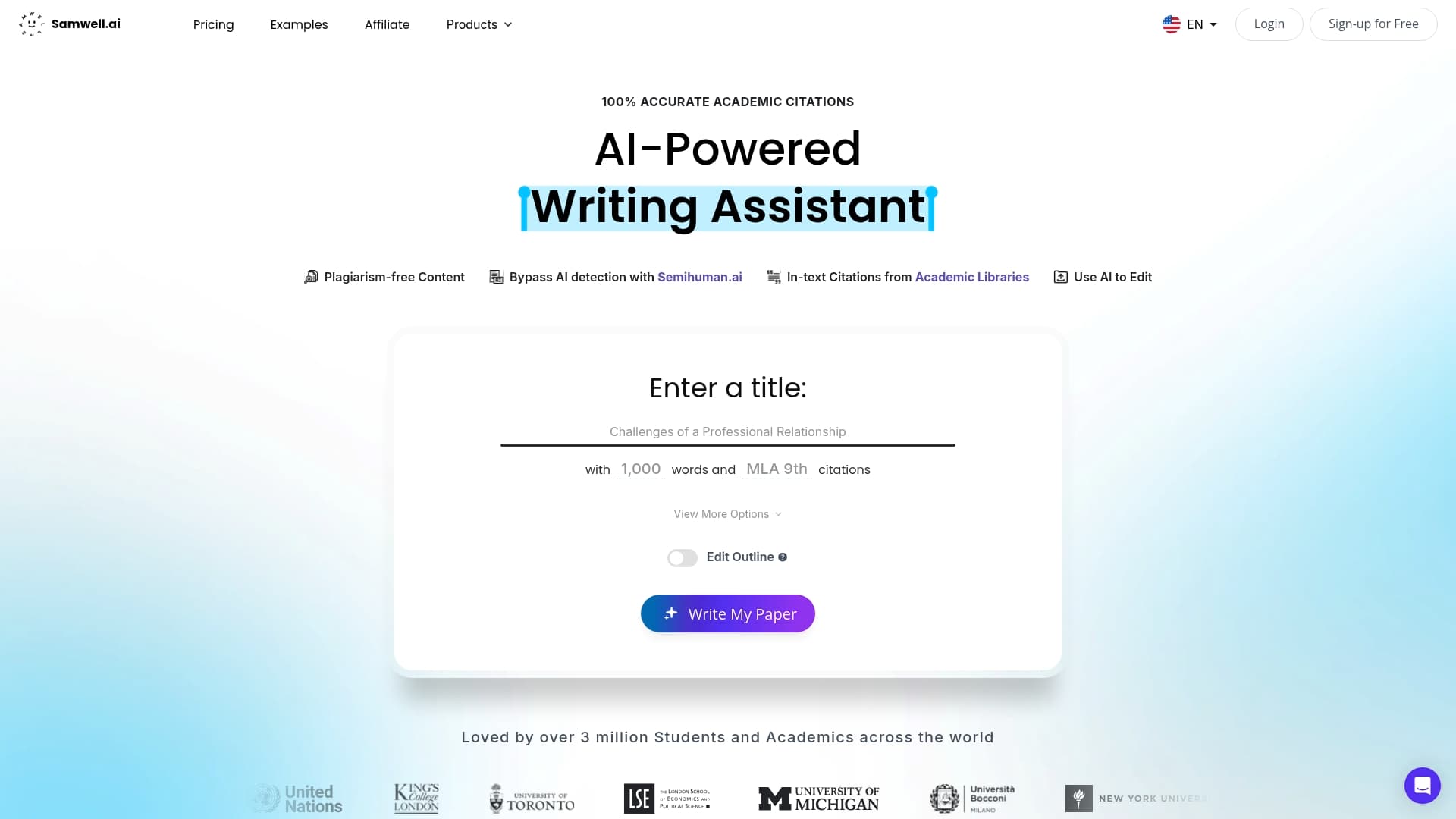
APA, MLA, and Chicago are all supported with exportable citations. Guided Essays give you a structured outline before you write a word. Over 1,000,000 students and academic professionals from leading universities already use it, which means the trust signal is backed by real volume. There's a free tier to start, and student plans are available for ongoing use. Try the research paper generator and run one section of your current paper through it to see where it fits your workflow.
Before trialing any tool, check its academic integrations page and privacy policy for how it handles uploaded documents, especially if you're working with unpublished research.