Loading...

TL;DR:
- APA formatting requires applying standardized style rules to ensure clarity and consistency throughout academic papers. Proper setup of margins, fonts, spacing, and indents is essential, and using word processor tools minimizes mechanical errors. Accurate in-text citations must match corresponding reference entries, which are formatted with hanging indents and alphabetized for clarity.
APA formatting step by step is the process of applying the American Psychological Association's standardized style rules to structure academic papers for clarity, consistency, and credibility. The 7th edition of the APA Publication Manual governs everything from your margin width to how you alphabetize your reference list. Tools like PERRLA, Grammarly, and the Purdue OWL resource library can help you apply these rules correctly. Follow this guide and you will produce a paper that meets APA 7th edition standards from the first page to the last citation.
Document setup is the foundation of APA compliance. Get these settings wrong and every page that follows will carry the error forward. The good news is that most word processors, including Microsoft Word and Google Docs, let you configure all of these settings once and apply them to the entire document.
Here are the core setup requirements per APA 7th edition standards:
Font consistency matters more than most students realize. Inconsistent fonts across headings, body text, and references are one of the most common reasons papers lose points on formatting rubrics.
Pro Tip: Create a custom document template with all of these settings saved before you write a single word. In Microsoft Word, set your styles under the "Design" tab and save the file as a .dotx template. This eliminates the need to reformat every new paper from scratch.

The title page is the first thing your instructor sees. APA 7th edition has specific rules for student papers that differ from professional papers, so confirm which format applies to you before you start.
Your student paper title page must include:
Student papers do not require a running head unless your instructor specifically asks for one. This is a frequent source of confusion because older APA editions required running heads for all papers. Under APA 7th edition, only professional papers submitted for publication need them. Your header should contain only the page number, flush right.
Pro Tip: Always check your course syllabus before finalizing your title page. Instructor-specific requirements can override the APA manual, particularly for running heads and title page design.
APA 7th edition uses five heading levels. Most student papers use levels 1 through 3. Here is how each level looks:
Use your word processor's built-in heading styles to apply these automatically. This also generates a navigable document outline, which helps you spot structural gaps before submission.
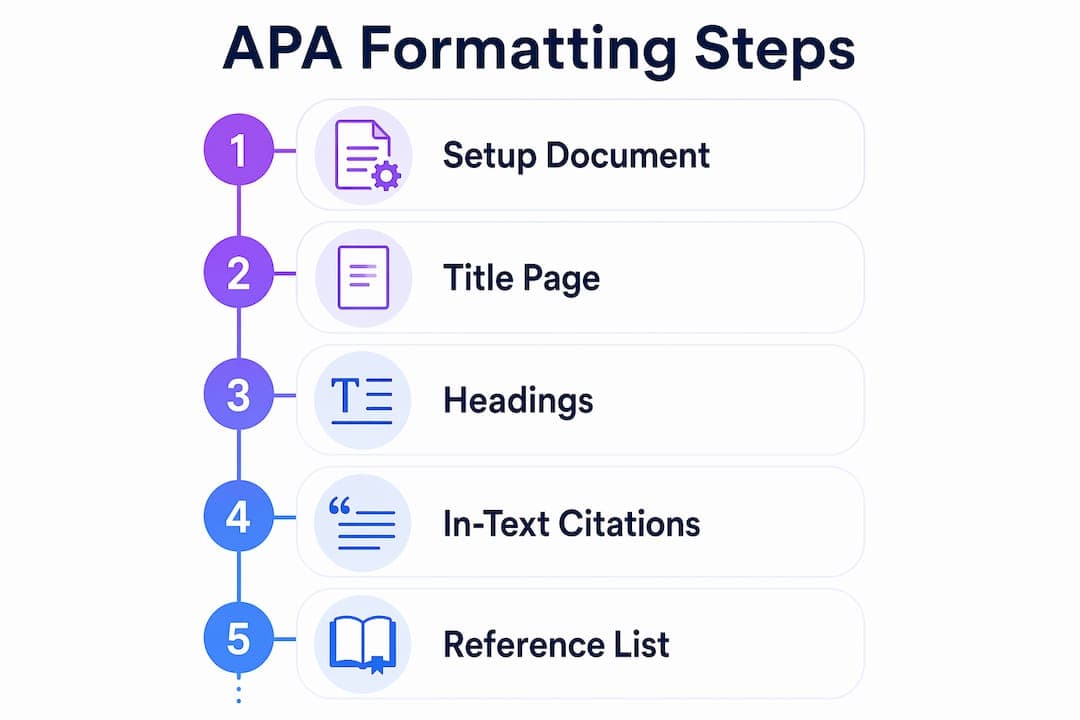
APA citations follow the author-date format. Every source you mention in the body of your paper needs a corresponding entry in your reference list, and every reference list entry must match an in-text citation. This one-to-one relationship is non-negotiable for APA compliance.
For a short quotation (fewer than 40 words), place the quoted text in double quotation marks and add the author, year, and page number in parentheses immediately after: (Smith, 2023, p. 45). For a paraphrase, you only need the author and year: (Smith, 2023).
For a long quotation (40 words or more), use a block quote. Start the quoted text on a new line, indent the entire block 0.5 inches from the left margin, and do not use quotation marks. Place the parenthetical citation after the final punctuation mark of the block.
The reference list starts on a new page at the end of your paper. The heading "References" is centered and bold. Every entry is double-spaced with no extra space between entries, and each entry uses a hanging indent of 0.5 inches.
Here are the most common reference formats:
| Source Type | Format Example |
|---|---|
| Journal article | Author, A. A. (Year). Title of article. Journal Name, Volume(Issue), page range. DOI |
| Book | Author, A. A. (Year). Title of work: Capital letter also for subtitle. Publisher. |
| Website | Author, A. A. (Year, Month Day). Title of page. Site Name. URL |
| Edited book chapter | Author, A. A. (Year). Title of chapter. In E. Editor (Ed.), Title of book (pp. xx–xx). Publisher. |
Alphabetize entries by the author's last name. If no author is listed, alphabetize by the first significant word of the title. For detailed guidance on reference entries without an author, the APA reference without author guide covers every edge case.
Pro Tip: Use a citation management tool like Zotero or an APA-compliant generator to build your reference list entries. Then verify each entry against the APA manual before submission. Generators save time but occasionally produce errors in punctuation or italics.
The APA citation guide from the University of Illinois Library frames it clearly: standardized citation methods exist to improve clarity and make source verification straightforward for any reader. That philosophy explains why APA is so precise about punctuation and formatting in citations.
Most APA formatting errors are not conceptual. They are mechanical. Students know the rules but apply them inconsistently because they rely on manual formatting instead of word processor tools.
Here are the most common mistakes and how to fix them:
Pro Tip: Use an APA formatting checklist before every submission. A structured checklist catches the mechanical errors that a final read-through misses, especially when you are close to the material.
The APA style guidelines also specify when to use numbered lists versus bulleted lists. Use numbered lists for sequential steps and bulleted lists for non-sequential items. Applying this distinction correctly signals that you understand APA formatting at a deeper level than surface-level compliance.
Correct APA formatting requires consistent document setup, precise title page construction, accurate in-text citations, and a properly formatted reference list built with word processor tools rather than manual spacing.
| Point | Details |
|---|---|
| Document setup first | Set margins, font, spacing, and indents before writing a single word. |
| Title page precision | Include all six required elements and omit the running head for student papers. |
| Citation accuracy | Every in-text citation must match exactly one reference list entry, and vice versa. |
| Use word processor tools | Built-in indent and page number tools prevent the most common mechanical errors. |
| Check instructor rules | Syllabus requirements can override APA defaults, especially for title page design. |
After reviewing hundreds of academic papers, the pattern is clear: most APA formatting failures happen in the last 20 minutes before submission. Students write the paper, then scramble to apply formatting at the end. That approach almost always produces errors.
The students who get APA right treat formatting as part of the writing process, not a finishing step. They set up their document template before they write the introduction. They add citations as they write each paragraph, not after the draft is complete. By the time they reach the reference list, most of the work is already done.
Technology helps, but it does not replace understanding. Tools like PERRLA and Zotero reduce the time spent on citation formatting significantly. But when a generator produces a malformed entry, you need to know what correct looks like to catch the error. That knowledge only comes from reading the APA manual directly, at least once.
The other thing most guides do not say clearly enough: your instructor's requirements are the final authority. APA 7th edition is the standard, but a professor who wants a running head on student papers is not wrong to ask for one. Check the syllabus first, then apply APA rules within those constraints.
Start formatting early. Build the template, set the styles, and add citations as you write. You will spend less time fixing errors and more time on the argument that actually earns the grade.
— Tilen
Applying every APA rule manually across a 15-page research paper takes time that most students do not have.
Samwell is built to handle the formatting work automatically. The platform applies APA-compliant margins, indents, heading styles, and citation formats as you write, so you are not retrofitting structure onto a finished draft. Over 1,000,000 students and academic professionals use Samwell to produce research papers that meet citation standards without spending hours on manual checks. You can start with the AI research paper generator to build a fully formatted paper from your sources and instructions, or use the plagiarism-free essay service if you need a clean, original draft with APA citations already in place. Both tools include real-time AI detection checks and support for APA 7th edition formatting throughout.
APA 7th edition accepts several fonts, including 12-pt Times New Roman, 11-pt Calibri, 11-pt Arial, and 11-pt Georgia. The chosen font must be used consistently throughout the entire paper, including headings and the reference list.
No. Student papers do not require a running head under APA 7th edition unless an instructor specifically requests one. Only professional papers submitted for publication include a running head.
A block quote is used for quotations of 40 words or more. Indent the entire quoted passage 0.5 inches from the left margin, do not use quotation marks, and place the parenthetical citation after the final punctuation mark.
A hanging indent means the first line of a reference entry is flush left and all subsequent lines are indented 0.5 inches. Every entry in the APA reference list requires this format, applied through paragraph settings rather than manual spacing.
Read your in-text citations and reference list side by side before submission. Every source cited in the body must appear in the reference list, and every reference list entry must be cited in the body. This one-to-one relationship is a core APA compliance requirement.