Loading...
TL;DR:
- APA format requires consistent 1-inch margins and double spacing throughout the paper.
- Students should set up margins, fonts, and spacing before writing to avoid time-consuming reformatting later.
Academic paper APA format is the standardized system for structuring and styling scholarly papers to meet academic requirements and improve clarity in research communication. The American Psychological Association publishes the APA style guide, now in its 7th edition, which sets the rules most universities require for psychology, education, social sciences, and many other disciplines. Whether you write in Microsoft Word or Google Docs, knowing the exact specifications before you type a single word saves hours of reformatting later. This guide covers every formatting requirement from margins to references, including the mistakes that cost students points most often.
APA 7th edition format starts with the physical setup of your document. Margins must be 1 inch on all four sides of an 8.5 x 11-inch page, and double-spacing applies throughout the entire document, including the title page, abstract, body, and references. That means no extra spacing between paragraphs or after headings.

Font choice matters more than most students realize. Times New Roman 12 pt is the standard, but APA also accepts Calibri 11 pt, Arial 11 pt, and Georgia 11 pt. The rule is consistency: pick one font and stick with it for the entire paper. Switching fonts mid-document signals carelessness to any reader and can directly affect your grade.
Here are the core formatting requirements every APA student paper must meet:
Pro Tip: Set up your document margins, font, and spacing before you write a single word. Reformatting a finished paper is far more time-consuming than starting with the correct settings.
Setting up each section correctly from the start prevents the most common formatting failures. Follow these steps in order.
Title page. Student title pages include the paper title in bold, your full name, your department and institution, the course name and number, the instructor's name, and the assignment due date. Center all of this information on the page. Do not add a running head unless your instructor specifically requires it.
Abstract (if required). Student papers do not always need an abstract. Check your assignment instructions. If required, the abstract appears on its own page after the title page, with the word "Abstract" centered and bolded at the top. Write the abstract as a single paragraph with no indentation.
Body text. Start your paper's body immediately after the title page (or abstract page). Repeat the full paper title, bolded and centered, at the top of the first body page. Then begin writing directly. No "Introduction" heading is needed or allowed. APA assumes the first section is the introduction, so labeling it is redundant and incorrect.
Headings. Use APA's five-level heading system to organize your paper. Level 1 headings are centered and bold. Level 2 headings are left-aligned and bold. Lower levels follow specific rules for bold, italic, and indentation. Do not use headings just to fill space. Use them only when your paper genuinely shifts to a new major topic.
In-text citations. Every source you reference in the body needs an in-text citation. The standard format is (Author, Year) for paraphrases and (Author, Year, p. X) for direct quotes. Place citations directly after the information they support, before the period.
References page. The references section starts on a new page. The word "References" appears centered and bolded at the top. All entries use a hanging indent of 0.5 inches and are listed alphabetically by the first author's last name. Do not number the entries.
| Section | Key rule |
|---|---|
| Title page | Centered, bolded title; no running head for student papers |
| Abstract | Own page; single paragraph; no first-line indent |
| Body | Starts with bolded title; no "Introduction" heading |
| Headings | Five levels; use only as needed |
| References | New page; centered bold title; hanging indent; alphabetical |
Pro Tip: The APA introduction should narrow like an upside-down triangle. Start with the broad context of your topic, then narrow to your thesis or research question. This structure signals analytical thinking, not just topic description.
Most formatting errors are mechanical, not conceptual. They come from default word processor settings and outdated habits. Knowing them in advance lets you fix them before submission.
"Instructors' assignment-specific instructions override general APA rules. Always check your course rubric for requirements such as running heads or abstracts before finalizing your paper." — ECU Libraries
The fix for most of these errors is the same: use an official APA template from the start. Both Microsoft Word and Google Docs offer APA-formatted templates that pre-set margins, fonts, spacing, and headers.
A final formatting check before you submit takes less than 15 minutes and can protect your grade. Work through these steps systematically.
Use an official APA template or checklist. The APA Style website and university library guides like those from the University of Wisconsin Whitewater and UAB Libraries publish free formatting checklists. Compare your paper against one before you submit.
Check paragraph spacing in your word processor. Open the paragraph settings in Microsoft Word or Google Docs and confirm that spacing before and after paragraphs is set to 0 pt. Scroll through the entire document to catch any sections where spacing differs.
Review your header and page numbers. Open the header on your title page and confirm the page number appears flush right. Scroll through every page to confirm numbering is continuous.
Run a citation check. Tools like Grammarly flag grammar issues that can affect your writing quality. For citation formatting specifically, cross-check your in-text citations and reference list entries against the APA 7th edition format guide.
Export to PDF and review the layout. Printing or exporting to PDF reveals formatting issues that are invisible on screen, such as widowed headings, broken indents, or font substitutions. Review the PDF version before you submit.
Check instructor requirements. Instructor-specific requirements override general APA rules. If your syllabus requires a running head, an abstract, or a specific citation style variation, follow those instructions exactly.
Pro Tip: Build a personal APA template file in Microsoft Word or Google Docs with all settings pre-configured. Save it as your starting file for every paper. You will never need to reformat from scratch again.
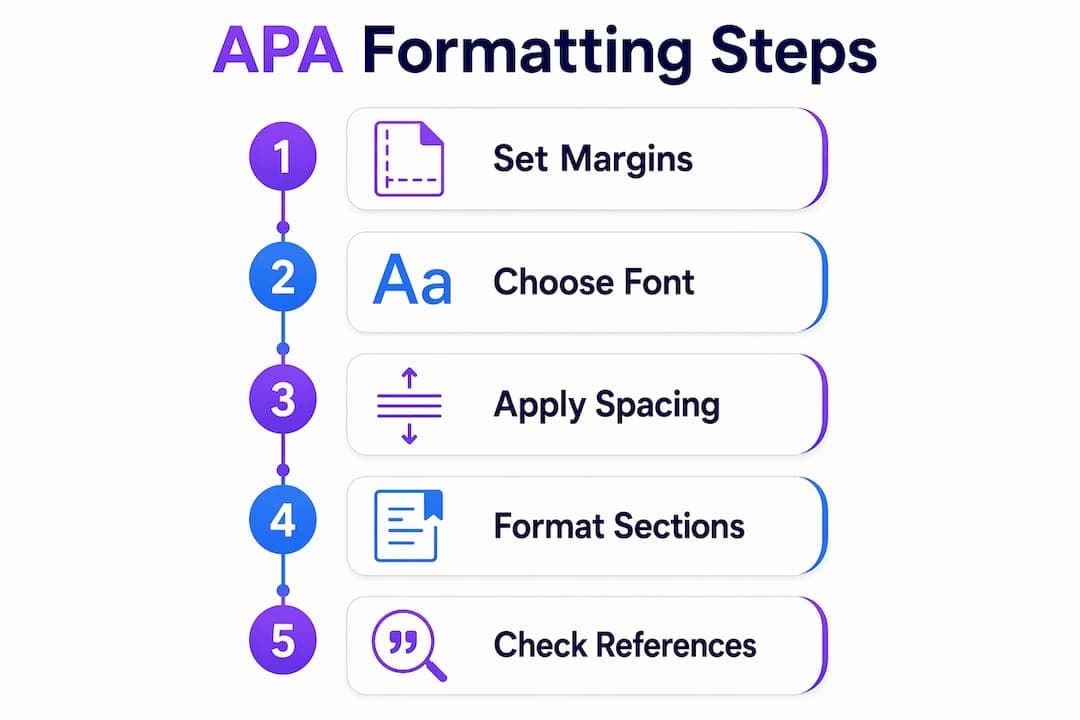
Correct APA 7th edition formatting requires precise document setup, accurate section structure, and a final verification pass before every submission.
| Point | Details |
|---|---|
| Document setup | Set 1-inch margins, double-spacing, and 0 pt paragraph spacing before writing anything. |
| Font consistency | Use Times New Roman 12 pt or an approved alternative and never change it mid-paper. |
| Title page rules | Center all required elements; omit the running head unless your instructor requests it. |
| No "Introduction" heading | Begin body text directly under the paper title with no section label. |
| References formatting | Use a centered bold title, hanging indents, and alphabetical order on a new page. |
Most students treat APA formatting as a punishment. I understand that instinct. The rules feel arbitrary until you realize they exist to make every paper readable in exactly the same way, which matters when a professor grades 40 papers in a weekend.
The single most useful habit I have seen students develop is building a reusable APA template file. Set it up once, correctly, and every future paper starts from a clean foundation. Students who do this stop losing points on formatting entirely. Students who reformat each paper from scratch keep making the same mistakes.
The other thing worth saying plainly: APA 7th edition changed several rules from the 6th edition, and many online resources still reflect the old version. Running heads, for example, are no longer required for student papers. If you learned APA before 2020, double-check your assumptions against a current source like the APA Style website or a university library guide published after 2019.
Start formatting early. Do not write the entire paper and then try to apply APA rules at the end. Set up your document correctly on day one. Your future self will be grateful.
— Tilen
Formatting an academic paper correctly takes attention to detail that is easy to miss under deadline pressure. Samwell is an AI-driven writing platform used by over 1,000,000 students and academic professionals that handles APA citation compliance, paper structure, and originality checks in one place.
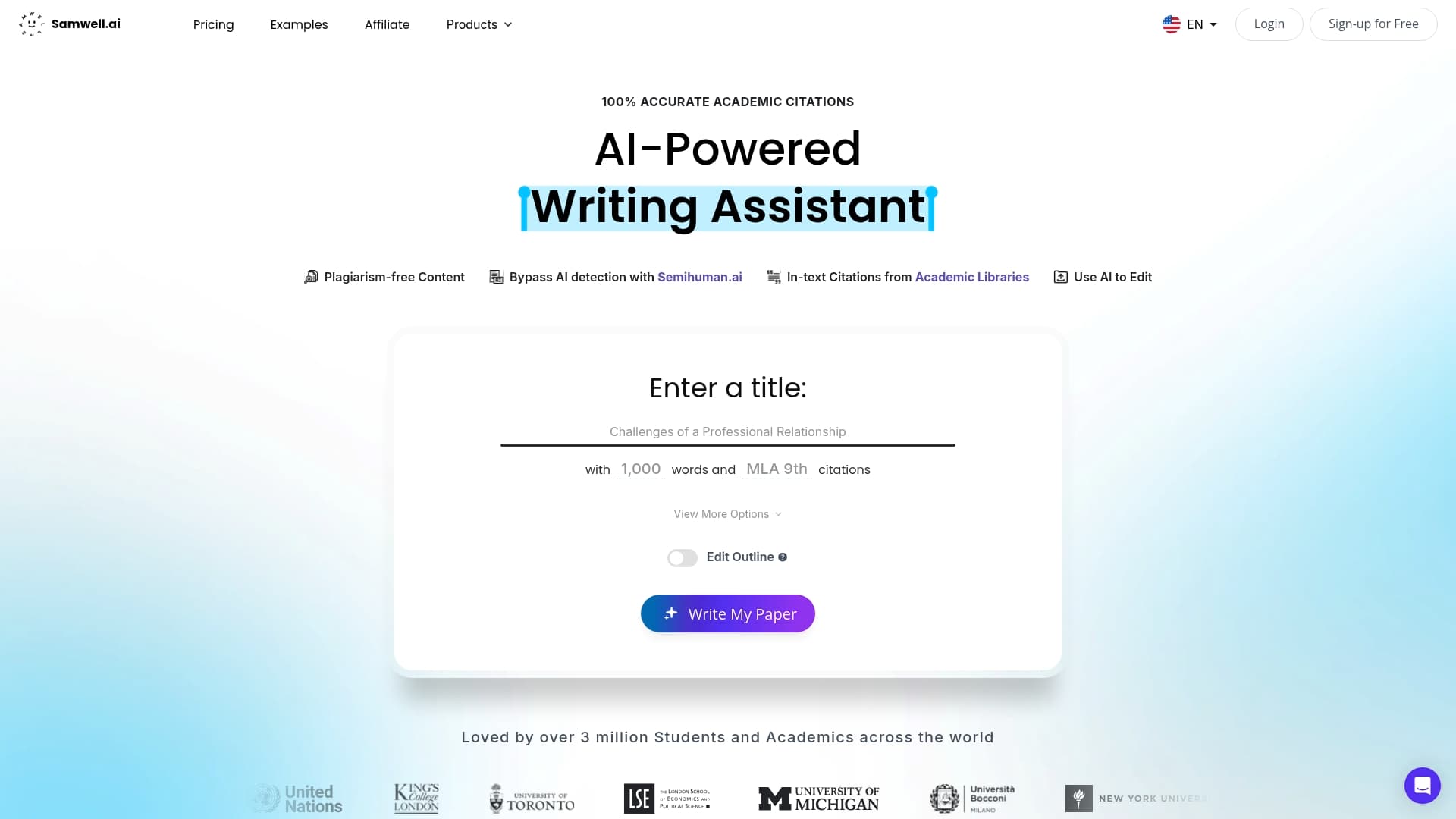
Samwell's Power Editor lets you expand and refine specific sections of your paper, while Guided Essays generate structured outlines that follow APA section order from the start. The platform supports both APA and MLA citation standards and includes real-time AI detection checks. For students who want a reliable starting point, Samwell's APA formatting resources cover everything from title page setup to reference list formatting. You can also read the detailed step-by-step APA formatting guide on the Samwell blog for a full walkthrough of every section.
APA 7th edition recommends Times New Roman 12 pt but also accepts Calibri 11 pt, Arial 11 pt, and Georgia 11 pt. The font must remain consistent throughout the entire paper.
No. Running heads are not required for student papers in APA 7th edition. Your instructor must specifically request one for it to be necessary.
No. APA 7th edition does not use an "Introduction" heading. Body text begins immediately after the paper title on the first page of the body section.
The references page starts on a new page with "References" centered and bolded at the top. Every entry uses a 0.5-inch hanging indent and entries are listed alphabetically by the first author's last name.
APA 7th edition requires double-spacing throughout the entire document with 0 pt spacing before and after every paragraph. No extra blank lines appear between paragraphs or after headings.